

🔐 Module 3: Understanding Wallets and Keys — How to Store and Secure Your Crypto

Welcome to Module 3 of the BitxEdge Learn Crypto Basics series!
By now, you understand what cryptocurrency is and how blockchain works.
Next, we’ll cover one of the most critical — yet often misunderstood — parts of the crypto world: wallets and keys.
Table of Contents
If blockchain is the backbone of crypto, wallets are your gateway. They allow you to send, receive, and safeguard your digital assets. But with great freedom comes great responsibility — because in crypto, you are your own bank.
1. What Is a Crypto Wallet?
A crypto wallet is a digital tool for storing, sending, and receiving cryptocurrencies.
Unlike traditional wallets that hold physical cash, crypto wallets don’t actually store coins; they store the keys that give you access to your coins on the blockchain.
Think of it like this:
Your coins exist on the blockchain-a public ledger.
They can be accessed through your wallet.
Your keys are proof of ownership.
When you make a transaction, your wallet signs it with your private key, which proves that you’re the rightful owner.

2. The Two Keys: Public and Private
Crypto wallets rely on a pair of cryptographic keys:
Public Key
Think of your public key as being akin to your bank account number — it’s safe to share it.
It is derived from your private key, and it is used to generate your wallet address, which others use to send you funds.
Example:
0x6fC2.b3E4
Private Key
Your private key is your master password.
It proves ownership and authorizes transactions. Whoever holds your private key controls your crypto — forever.
That’s why wallet security is everything: if you lose or expose your private key, no one-not even the exchange or wallet provider-can recover your funds.
Golden rule: Not your keys, not your coins

3. Types of Crypto Wallets
Various wallets are available, each offering different levels of security and convenience.
Here’s the breakdown:
Wallet Type\Description\Best For
Hot Wallets Connected to the internet. Quick access but higher risk. Active traders
Cold WalletsOffline storage. Immune to hacks. Long-term holders
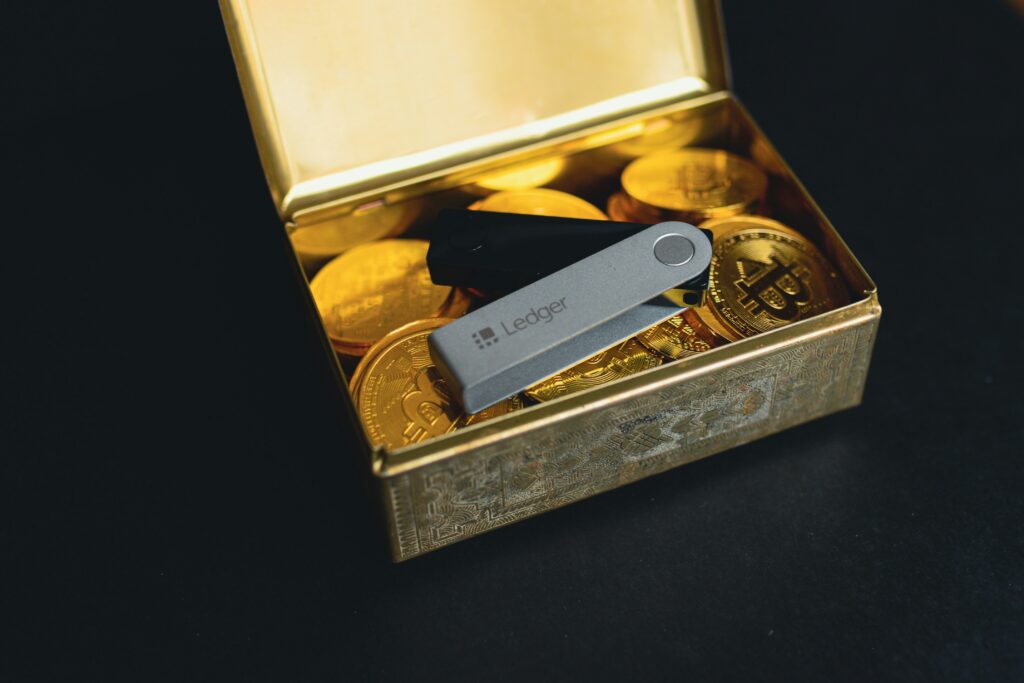
Hardware Wallets – Physical devices, store keys offline: Ledger, Trezor, etc. Maximum security
Software Wallets\Applications or browser extensions. Example: MetaMask, Trust Wallet.\For day-to-day users
Paper Wallets Keys printed on paper, physically stored. Backup or cold storage
Exchange Wallets Provided by cryptocurrency exchanges: Binance, Coinbase, OKX. Begginner, short-term purpose
| Wallet Type | Description | Best For |
|---|---|---|
| Hot Wallets | Connected to the internet. Quick access but higher risk. | Active traders |
| Cold Wallets | Offline storage. Immune to hacks. | Long-term holders |
| Hardware Wallets | Physical devices that store keys offline (e.g., Ledger, Trezor). | Maximum security |
| Software Wallets | Apps or browser extensions (e.g., MetaMask, Trust Wallet). | Everyday users |
| Paper Wallets | Keys printed on paper, stored physically. | Backup or cold storage |
| Exchange Wallets | Provided by crypto exchanges (Binance, Coinbase, OKX). | Beginners, short-term use |
4. Hot vs. Cold Wallets: A World of Difference
Hot Wallets
These are always online and thus convenient for quick trades or DeFi use. However, because they connect to the internet, they’re more hackable or prone to malware.
Popular hot wallets include:
MetaMask (Ethereum & EVM chains)
Trust Wallet (multi-chain)
Phantom (Solana)
Pros:
Easy to set up
Great for trading or small balances
Cons:
⚠️ Higher hack risk
⚠️ Requires regular updates and security practices
Cold Wallets
Cold wallets store your keys offline, thus making it almost impossible to hack them remotely.
Examples:
Ledger Nano X
Trezor Model T
Pros:
Best protection against online attacks
✅ Perfect for long-term “HODLers”
Cons:
⚠️ Slightly less convenient
⚠️ Costs money (hardware device)
Most serious investors use a combination: hot wallets for daily use, cold wallets for secure storage.
5. Custodial versus Non-Custodial Wallets
Who has your keys?
The difference between these two defines who controls your keys:
Type Who Holds the Keys? Example Control
Custodial Wallet ERC-20/BEP-20/TRC-20 compatible wallet A third-party/exchange/app Binance, Coinbase Limited control
Non-custodial wallet: you are in control of private keys MetaMask, Ledger Full control
Custodial wallets are more newbie-friendly but rely on trusting a company
| Type | Who Holds the Keys? | Example | Control |
|---|---|---|---|
| Custodial Wallet | A third party (exchange or app) | Binance, Coinbase | Limited control |
| Non-Custodial Wallet | You hold your private keys | MetaMask, Ledger | Full control |
Non-custodial wallets put you in charge — but you’re also responsible for security.
When a custodial platform is hacked, you may lose money. However, when a non-custodial wallet loses its private key, it can never be recovered.
Choose based on your experience level and comfort with self-custody.
How to Create a Wallet: Step-by-Step
Let’s walk through creating a software wallet safely:
Choose a trusted wallet, download it from the official website, such as metamask.io.
Install and set up: Follow the on-screen instructions.
Generate a new wallet; you will be provided with either a 12 or 24-word recovery phrase called a seed phrase.
Write it down and store it offline – never screenshot or email it.
Set a strong password, and if supported, turn on 2FA.
Backup the wallet file, if any.
You’re ready! Your wallet address is now on the chain.
Always verify URLs, since many phishing sites impersonate real wallet pages in order to phish for keys
6. What is a seed phrase or a recovery phrase?
Your seed phrase is a human-readable version of your private key, which consists of 12 or 24 random words.
Example:
apple, rocket, flower, ocean, silver, lion, wave, future, drift, stone, memory, dawn
It’s able to restore your entire wallet, even if your device is lost.
Never share it. Never store it online.
If anyone gets your seed phrase, they get your crypto.
Many experts write their seed phrase onto metal plates as a fireproof backup for very long-term security
7. Common Wallet Mistakes to Avoid
Even skilled users have common mistakes. Here are the top mistakes — and how to avoid them:
Private keys/seed phrases should never be shared — they’re like your bank password.
Avoiding wallet fake apps-scams, make sure to check the download links for authenticity.
Ignoring updates may mean running outdated applications that have security gaps.
Clicking on phishing links: Double-check the URLs before entering details.
Avoid holding large funds in hot wallets; use cold storage for big holdings.
Security in crypto is not optional; it’s everything
8. How to Keep Your Wallet Secure
Follow the best practices that will keep your funds safe: Use hardware wallets for long-term storage
✅ Enable two-factor authentication (2FA)
✅ Keep software up to date Use a VPN while accessing wallets through public Wi-Fi. Store your seed phrase in several secure locations offline. Avoid connecting to suspicious DApps or signing unknown smart contracts. Use multi-sig wallets for further security, which require several confirmations for transactions, which are very common in organizations and teams
9. Future of Crypto Wallets
But wallets are evolving beyond storage tools-they’re becoming gateways to
Web3. Modern wallets now support: NFTs-for digital collectibles
DeFi protocols: staking, lending, yield farming Identity management: decentralized login systems
Multi-network interoperability, cross-chain transactions Soon enough, your wallet will serve as your digital passport and let you seamlessly interact across decentralized platforms, games, and metaverse projects.
Concluding Thoughts Your wallet is a way of connecting to the blockchain—and essentially your security net in the crypto world. Learning how wallets and keys work is just not about keeping coins in the wallet, but about ownership and responsibility. If you’re looking for convenience, start with a hot wallet. If you want ultimate security, use a hardware wallet. But most importantly, remember: your keys = your crypto. With this knowledge, you’re ready to explore DeFi, staking, NFTs, and more while keeping your assets safe